
Intake to Initial Evaluation, without leaving your desk
OTeva tracks patients, runs standardized intake questionnaires, and turns caregiver answers into an AI-drafted Initial Evaluation SOAP report you review and finalize.
Desktop-first · Local workspace · Bring your own AI provider
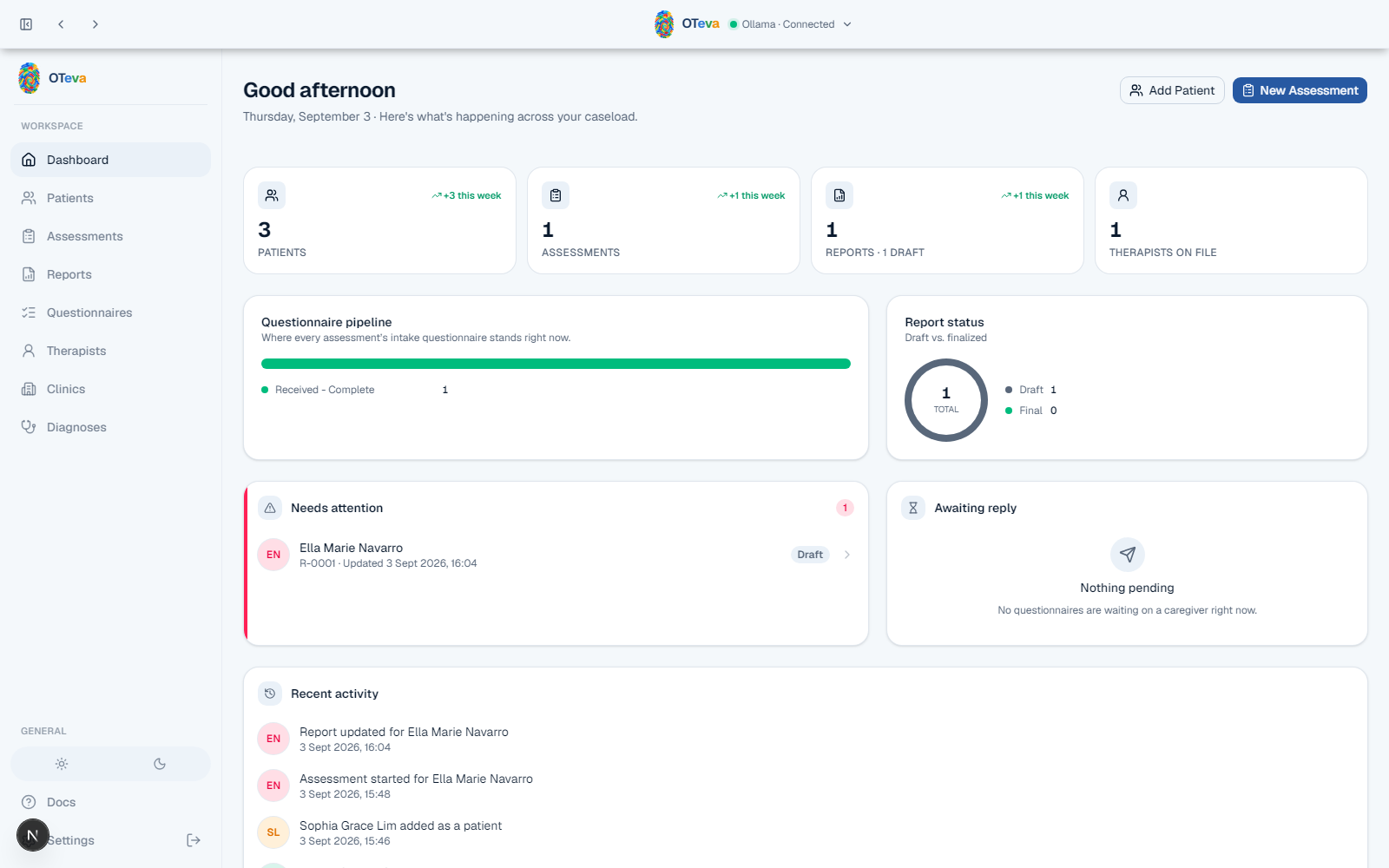
Not mockups, the actual app
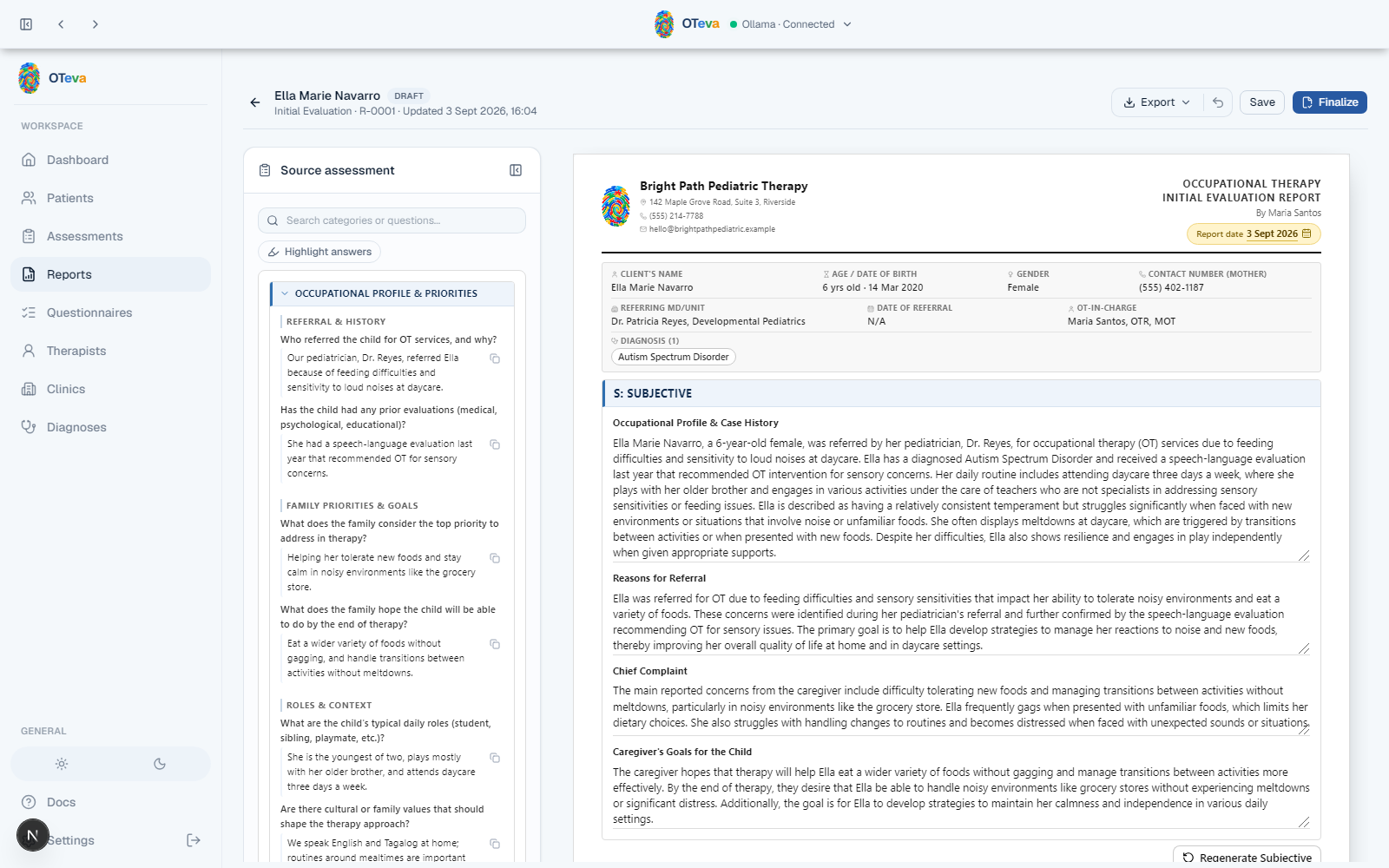
Every screen on this site, dashboard, questionnaire, AI-drafted report, patient roster, and catalogs, is a real screenshot from a running OTeva instance with a live Ollama connection.
- Full intake-to-report walkthrough
- Patients, questionnaire catalog, clinics & therapists
Everything an initial evaluation touches
Patients, questionnaires, and reports live in one place, with the catalogs each of them references.
Patients, Diagnoses, Therapists, Clinics
The roster and the catalogs everything else references: a diagnosis picklist, therapist signature blocks, clinic letterhead.
Assessments
One episode per evaluation, each with its own questionnaire categories and caregiver intake answers.
Questionnaire round-trip
A printable, fillable A4 questionnaire. A caregiver fills it out on paper or in any PDF reader, or the therapist transcribes a returned paper form by hand, with an optional photo attached for the record. An imported PDF is checked against the assessment it belongs to before its answers are accepted.
Reports
AI-drafted Initial Evaluation SOAP reports: Subjective from the questionnaire, Objective/Assessment/Plan drafted and refined by the therapist. Autosaved, with undo, exportable as a print-perfect PDF or an editable DOCX.
Dashboard
A real-time view of what needs attention: blank or partial questionnaires, drafts awaiting finalization, questionnaires awaiting a reply, and recent activity across the caseload.
Bring your own AI provider
Draft with Anthropic, OpenAI, Gemini, or a local Ollama endpoint. Provider and API key are configured per install in Settings, so no key ever leaves the machine except to the provider you chose.
Intake in, evidence-backed report out
Add the patient
Create a patient record and open a new assessment episode.
Send the questionnaire
Print it, email the fillable PDF, or hand it over on paper.
Draft the report
AI turns the intake and clinical notes into a SOAP draft.
Finalize and export
Review, finalize, and export as PDF or DOCX.
No backend. No sync. No account.
Every patient, assessment, and catalog record is stored in the browser's local storage. It stays on the device it was entered on, isn't synced anywhere, and clearing site data starts fresh. AI drafting calls only the provider configured in Settings, using the key entered for that install.
- Fully offline data storage
- No server, no account required
- Your own AI provider key